

Settings & Preferences
Customize your experience. Theme, language, chat behavior, privacy controls.
What this is
IAN has some defaults. They work for most people. But you can change them.
This is where.
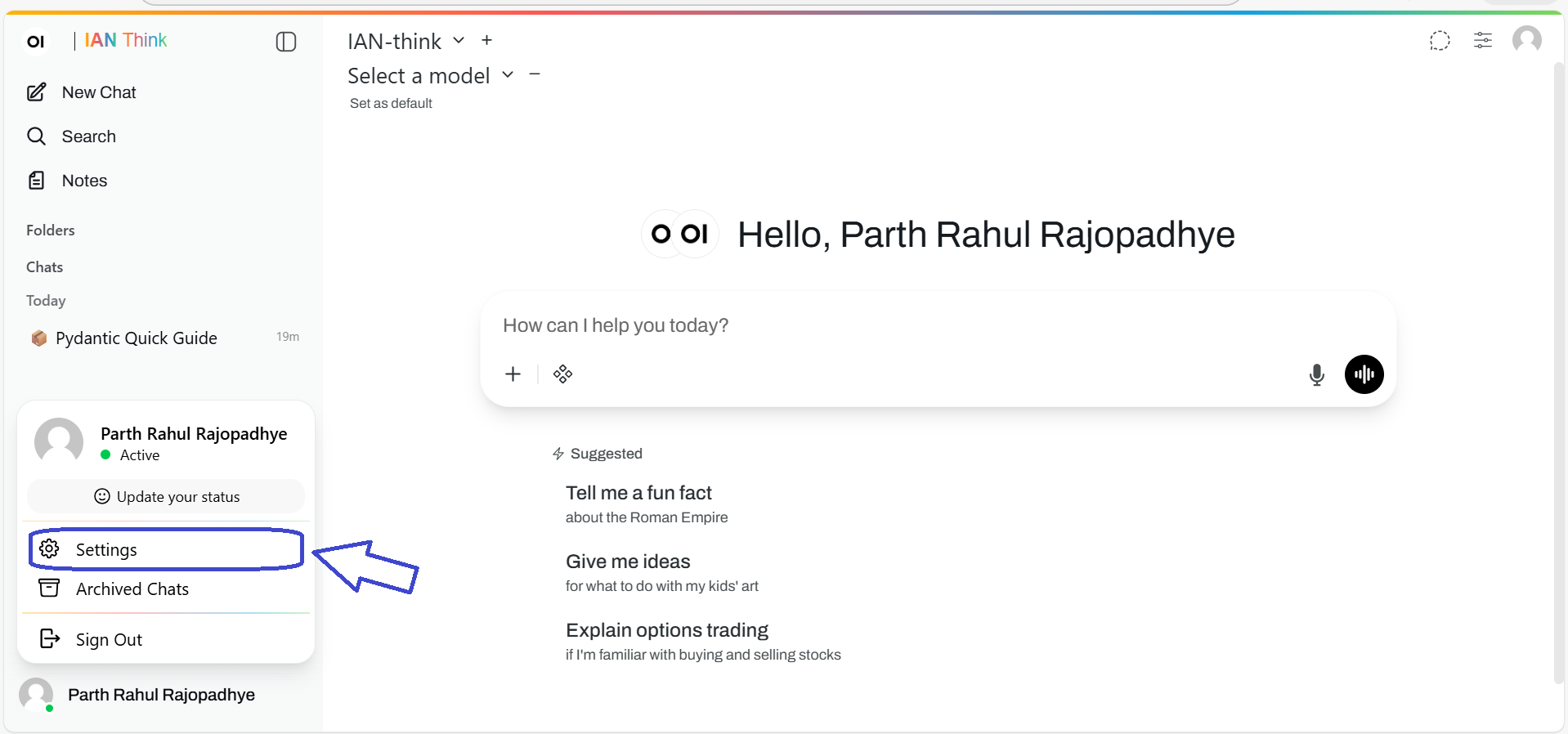
How to access
Option 1: From sidebar
Click Settings (left sidebar, bottom area).
Option 2: From header
Click your profile icon (top right) → Settings
Display settings
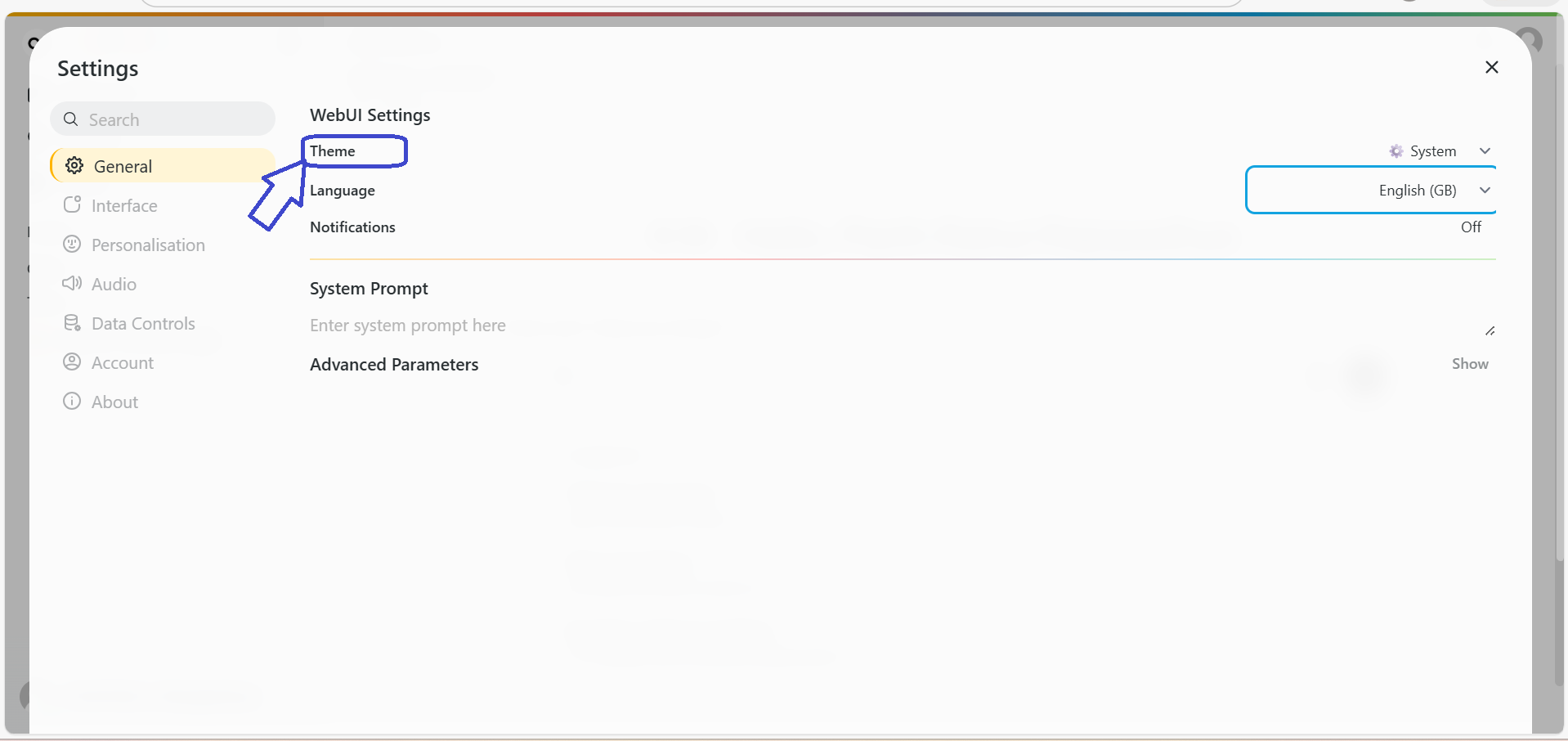
Dark mode / Light mode
Default: Dark mode
Why change? Eye strain, time of day, preference.
How: Settings → Display → Toggle
Text size
Default: 100%
Why change? Hard to read? Make it bigger.
How: Settings → Display → Text size → Slider
Language
Default: English
Why change? You speak another language.
How: Settings → Display → Language → Pick language
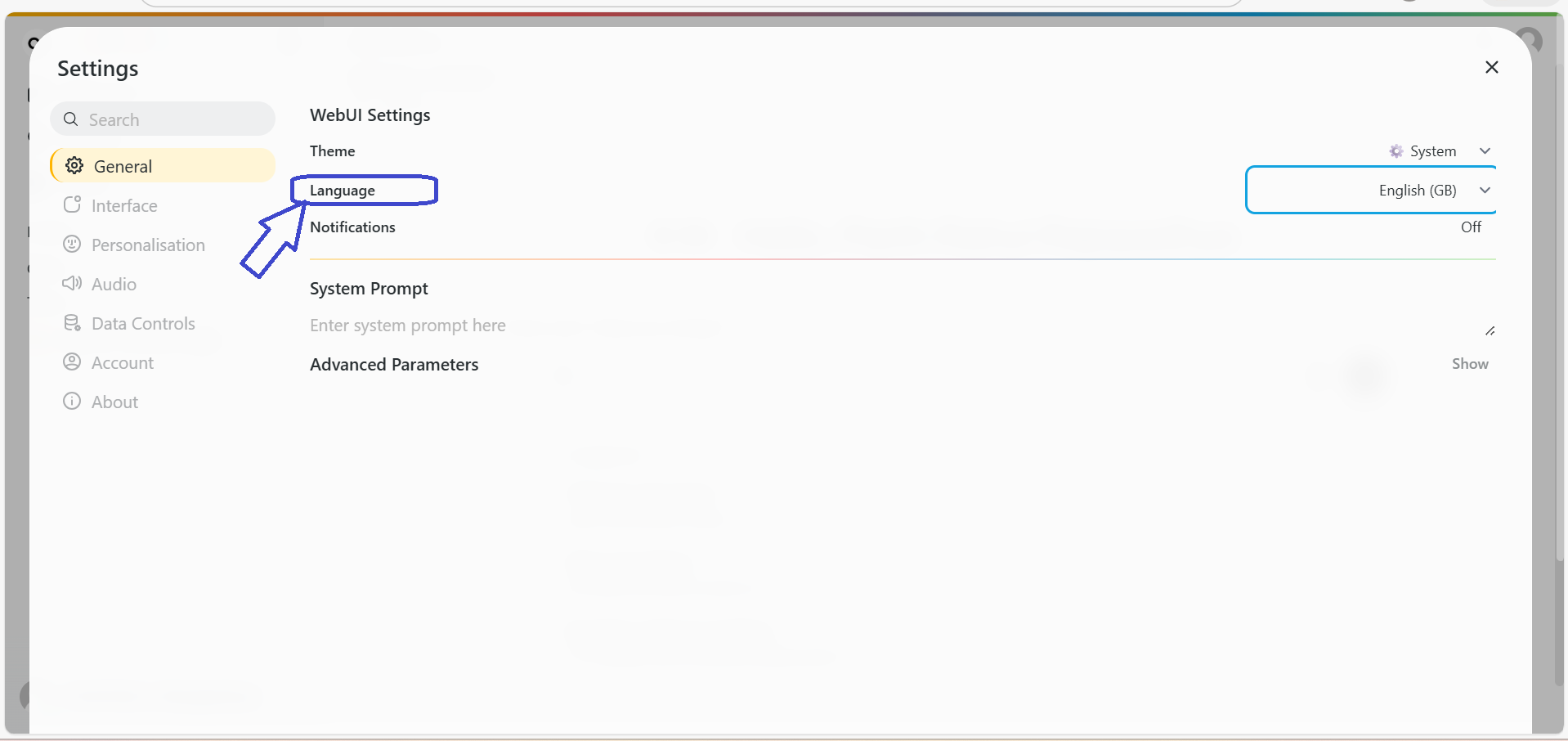
Translations are generally good but imperfect. English is always most accurate.
Chat behavior
Default model
Default: Mistral Large (fast)
Why change? You always use GPT-4o. Why pick it every time?
How: Settings → Chat → Default model → Pick
Follow-up questions
Default: On
Why change? They distract you? Turn them off.
How: Settings → Chat → Show follow-up suggestions → Toggle
Response timeout
Default: 30 seconds
Why change? Some questions need more time. Or you're impatient.
How: Settings → Chat → Response timeout → Adjust
Privacy & data
Chat history retention
Default: 90 days
Why change? Privacy requirement? Compliance rule? Change it.
How: Settings → Privacy → Keep chats for: [days]
(Note: Starred chats are kept forever, regardless of this setting.)
Export your data
How: Settings → Privacy → Export my data
Gets a ZIP file with:
- All your chat history
- Your settings
- Your preferences
- Metadata
Processed in 24 hours. You get an email with a download link.
Delete all chat history
How: Settings → Privacy → Delete all chats
Unstarred chats gone immediately. Starred chats still there (you have to delete those one by one).
Account settings
Change password
- Settings → Account → Change password
- Enter current password
- Enter new password (12+ characters, mix it up)
- Confirm
- Done
Change email
- Settings → Account → Change email
- Enter new email
- Confirm via the link sent to new email
- Done
Two-factor authentication (2FA)
Default: Off (but recommended)
Why enable? Your account is more secure.
How: Settings → Security → Two-factor authentication → Enable
You'll use your phone, security key, or authenticator app.
Notification settings
Email notifications
Default: Off
Why enable? Get alerts when... (nothing yet, feature coming)
How: Settings → Notifications → Email notifications → Toggle
Advanced settings
Most people don't need these. But they're here if you do.
API keys
If you're integrating IAN with other tools, you need API credentials.
How: Settings → Advanced → API keys
See your credentials, regenerate if leaked, set up integrations.
Data classification
If your organization has data classification rules, check here.
How: Settings → Advanced → Data classification
Tells you what data types you can use in IAN.
Tips
Tip 1: Set your default model early
Don't want to pick a model every time? Set your default.
Settings → Chat → Default model
Tip 2: Export your data periodically
If IAN is important to your work, export regularly.
Settings → Privacy → Export my data
You have your data. Good backup.
Tip 3: Use 2FA if you handle important work
IAN might have sensitive info. 2FA protects against account takeover.
Settings → Security → Two-factor authentication
Tip 4: Check privacy settings if required
If your organization has compliance rules, check Privacy settings.
Settings → Privacy
Troubleshooting
"Settings won't save"
Refresh the page. Try again. If still stuck - Contact support.
"I forgot my password"
- Go to sign-in page
- Click Forgot password?
- Enter your email
- Follow the reset link
- Set new password
"I can't enable 2FA"
- Make sure you have a 2FA device (phone, security key, authenticator app)
- Follow the setup steps
- Still stuck? Contact support
"I want to delete my account"
Contact Support. Account deletion is permanent.
Next
- Chat Interface — Use your customized IAN
- Chat Management — Manage your saved conversations