

Chat Management
Save, organize, export, and share your conversations.
What this is
Your chats are temporary by default. This feature makes them permanent.
Save important conversations. Organize them. Export them. Share them.
Before you start
You have chats in your History. Some matter; some don't.
Time to organize.
The basics
Save a chat
Click ⭐ (top right of the chat).
The star fills in. The chat moves to your Saved folder.
Saved chats never disappear (until you delete them manually).
Unsave a chat
Click ⭐ again. It unstars. Chat goes back to History.
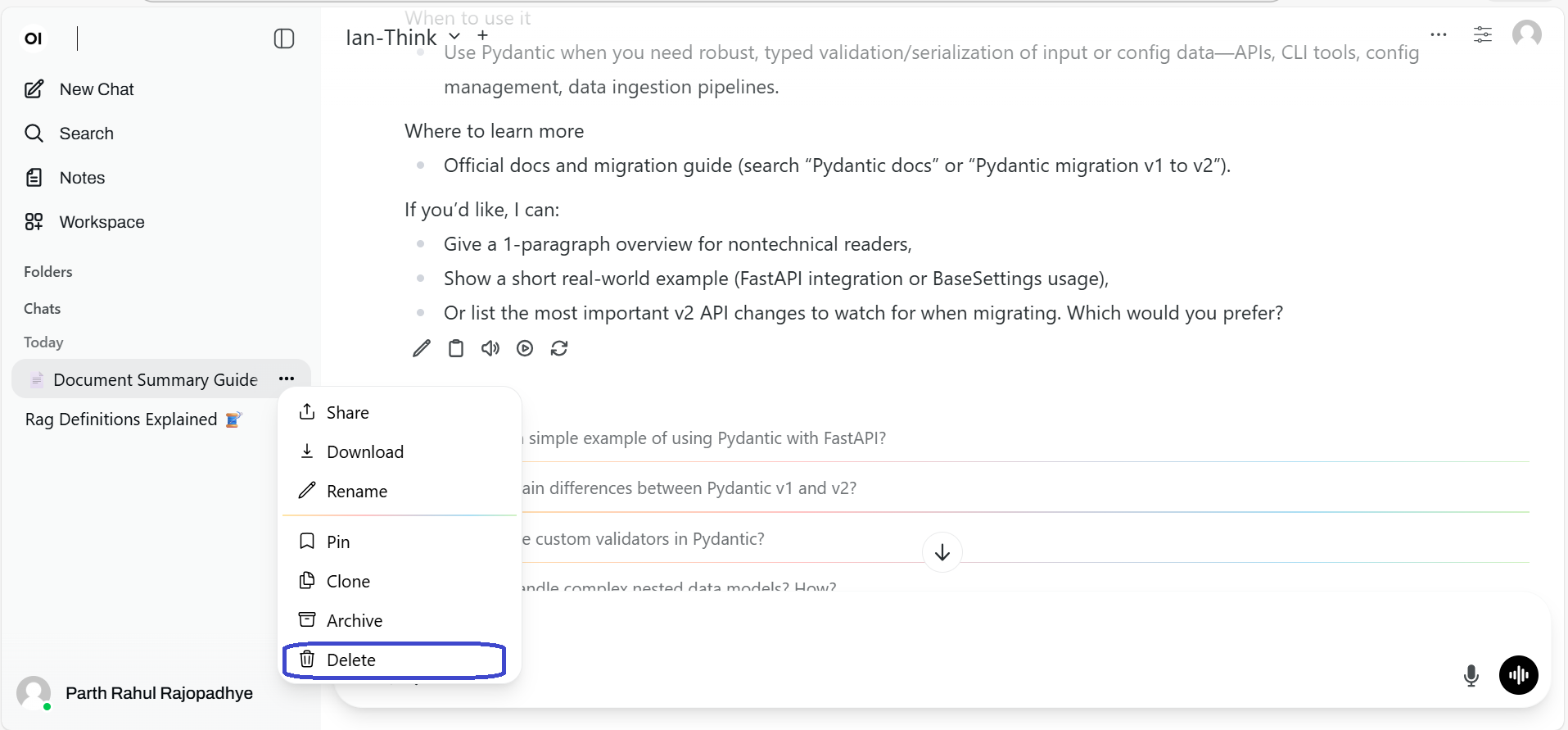
Delete a chat
Click ⋮ (three dots) → Delete
Gone forever. Can't undo.
Organizing
Find a chat
Click History (sidebar). Use the search box.
Search by:
- Chat title
- Things you asked
- Answers you got
- Document names
Results appear instantly.
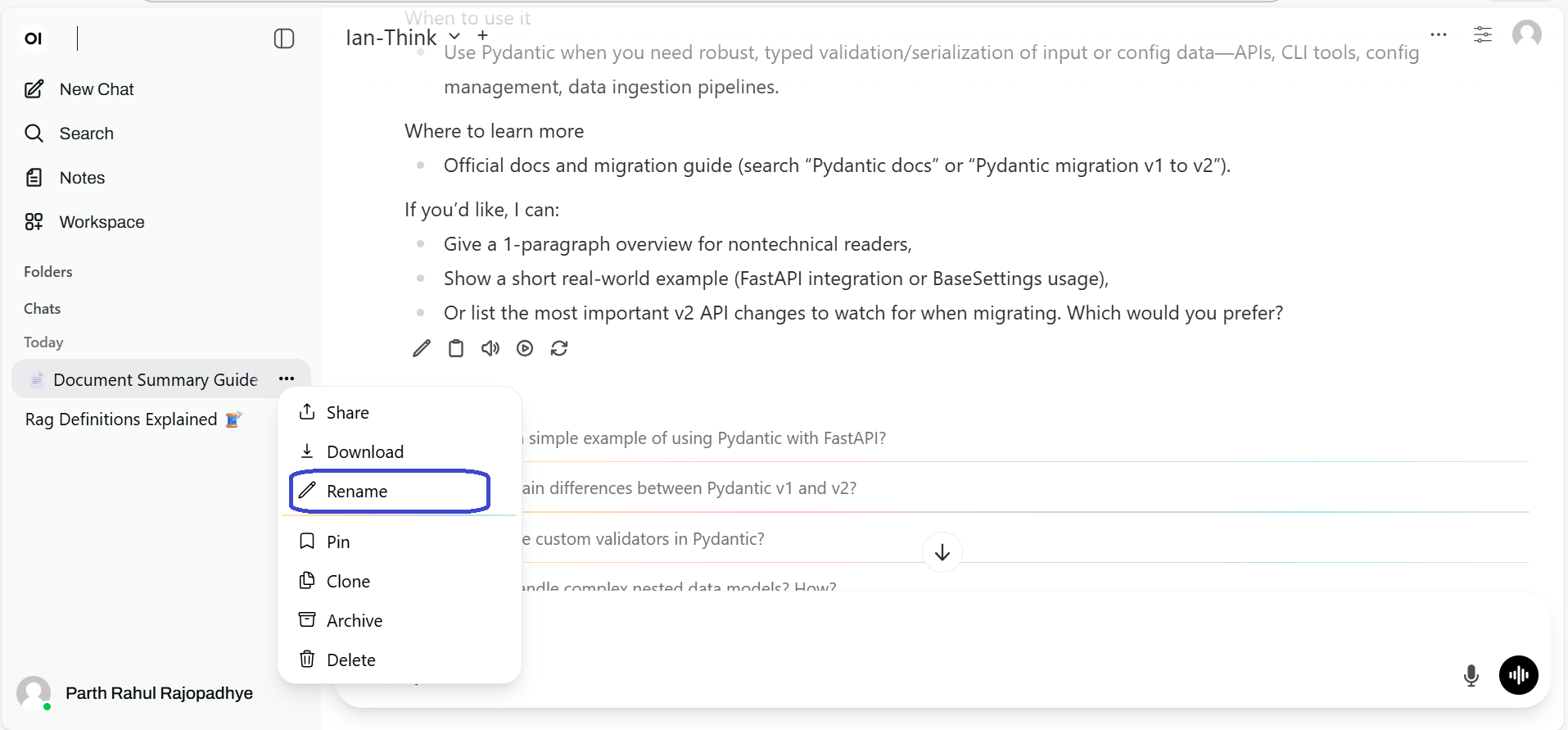
Rename a chat
Default title: "New chat" or "Chat about [first question]"
To rename:
- Open the chat
- Click ⋮ (three dots)
- Click Rename
- Type new name: "Claims Analysis 2025-03-12" or "Budget Decision"
- Done
Good names help you find things later.
Delete a chat
- Open the chat
- Click ⋮ (three dots)
- Click Delete
- Confirm
Archive (coming soon)
Eventually, you'll be able to archive old chats instead of deleting them.
For now: Save important chats, delete the rest.
Exporting
Export a conversation
Click ⋮ (three dots) → Export
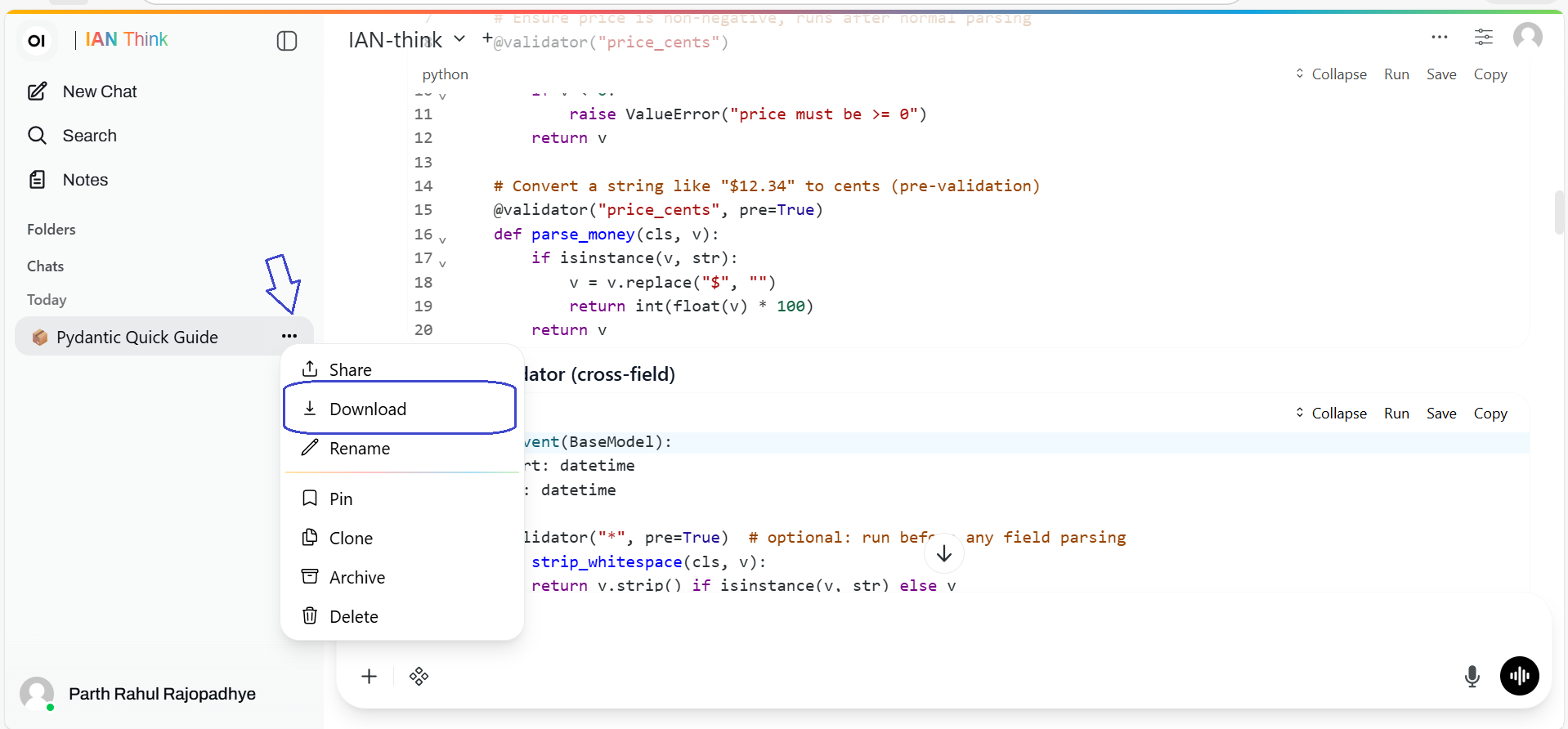
Pick a format:
| Format | Best for | What you get |
|---|---|---|
| Markdown (.md) | Documents, editing | Clean text, good formatting |
| PDF (.pdf) | Sharing, printing | Pretty, formatted, shareable |
| JSON (.json) | Analysis, importing | Raw data, machine-readable |
Download happens automatically.
Use cases
Markdown export: "I want to turn this into a guide or documentation"
PDF export: "I want to share this with someone via email or print it"
JSON export: "I want to analyze the data or import into another system"
Sharing (coming soon)
Eventually, you'll generate shareable links.
Your teammates can:
- Read the conversation
- See all questions and answers
- NOT edit or add to it
For now: Export and share the file directly.
Real examples
Example 1: Document analysis for a project
What you do:
- Upload a proposal
- Ask IAN questions about it
- Reach conclusions
- Click ⭐ to save
- Rename: "Vendor Proposal Analysis - Q1 2025"
- Export as PDF
- Email to stakeholders
Why: Everyone sees your thinking, not just conclusions.
Example 2: Process documentation
What you do:
- Ask IAN to explain a complex process
- Use follow-up questions to explore
- Have a comprehensive explanation
- Click ⭐ to save
- Export as Markdown
- Put in your company wiki
- New employees read it instead of bothering you
Why: Knowledge captured. Reusable.
Example 3: Problem-solving record
What you do:
- Work through a problem with IAN
- Use multiple models to compare
- Reach a decision
- Click ⭐ to save
- Rename: "Database Migration Decision - March 2025"
- Export as PDF
- Save to project archive
Why: When someone asks "why did we decide that?", you have the full reasoning.
Example 4: Training material
What you do:
- Ask IAN to teach you about [topic]
- Use follow-ups to go deep
- You've got a tutorial
- Export as Markdown
- Lightly edit it
- Post to your training wiki
- Your team learns from it
Why: AI-assisted, human-reviewed training. Better than either alone.
Best practices
Practice 1: Save before you forget
Don't wait until later. If a chat was useful, save it now.
Starred chats are easy to find. Unsaved chats get lost in History.
Practice 2: Rename immediately
"New chat" tells you nothing 3 months later.
Good names:
- Include date: "Budget Planning 2025-03-10"
- Include topic: "Claims Process Q&A"
- Include decision: "Database Migration - Decision Made"
Practice 3: Export right after saving
If you think you might need it outside IAN, export it now.
Don't wait until you need it urgently.
Practice 4: Organize by project/topic
Your Saved folder can get messy fast.
Eventually folders will help. Until then:
- Use consistent naming: "Project X - [topic]"
- Delete completed projects regularly
- Search by keyword when you need something
Practice 5: Don't export everything
Export only:
- Documents you'll share
- Decisions you'll reference later
- Training material
- Audit trails
Don't export: One-off questions you'll never need again.
Tips
Tip 1: Markdown exports are editable
Export as Markdown. Open in any text editor. Clean it up. Use it in docs.
IAN gets you 80% there. You can polish the final 20%.
Tip 2: PDF exports look professional
Export as PDF. It looks good. Shareable.
Perfect for emailing stakeholders or adding to reports.
Tip 3: Group exports by topic
Create a folder on your computer: "IAN Exports"
Inside: Folders by topic (Claims, Budget, Policies, etc.)
Organize as you go. Easier to find later.
Tip 4: Version control important exports
If a document is important, save versions:
- "Decision Analysis - v1 - March 10"
- "Decision Analysis - v2 - March 12"
You'll thank yourself later when you need to see what changed.
Troubleshooting
"I can't find a chat"
- Click History (sidebar)
- Use the search box
- Type anything you remember from the chat
- Results appear
"Export didn't download"
- Check your browser's downloads folder
- Try a different format (maybe PDF is broken, try Markdown)
- Try exporting a different chat to see if it's a general issue
"The exported file looks weird"
Some markdown viewers render differently. Try:
- Opening in a different editor
- Exporting as PDF instead
- Importing to a word processor and reformatting
"I accidentally deleted a chat"
Unfortunately, deletions are permanent. Can't undo.
In the future: Export before deleting.
Privacy
Your saved chats:
- Are on Xceedance servers
- Are encrypted
- Can be viewed by admins (audit)
- Are not used to train LLMs
When you export:
- You own the file (save it securely)
- Treat it like any other document
- Remember it might contain sensitive info
Privacy Policy · Data Security