

Chat Interface
Start conversations with AI. Ask. Iterate. Think out loud.
What this is
You type a question. IAN responds. You ask a follow-up. IAN remembers what you said before. Repeat until you've got your answer or you've figured something out.
It's a conversation, not a search engine.
Before you start
- You're signed in
- You have a browser that's not ancient
- That's literally it
Your first chat (step-by-step)
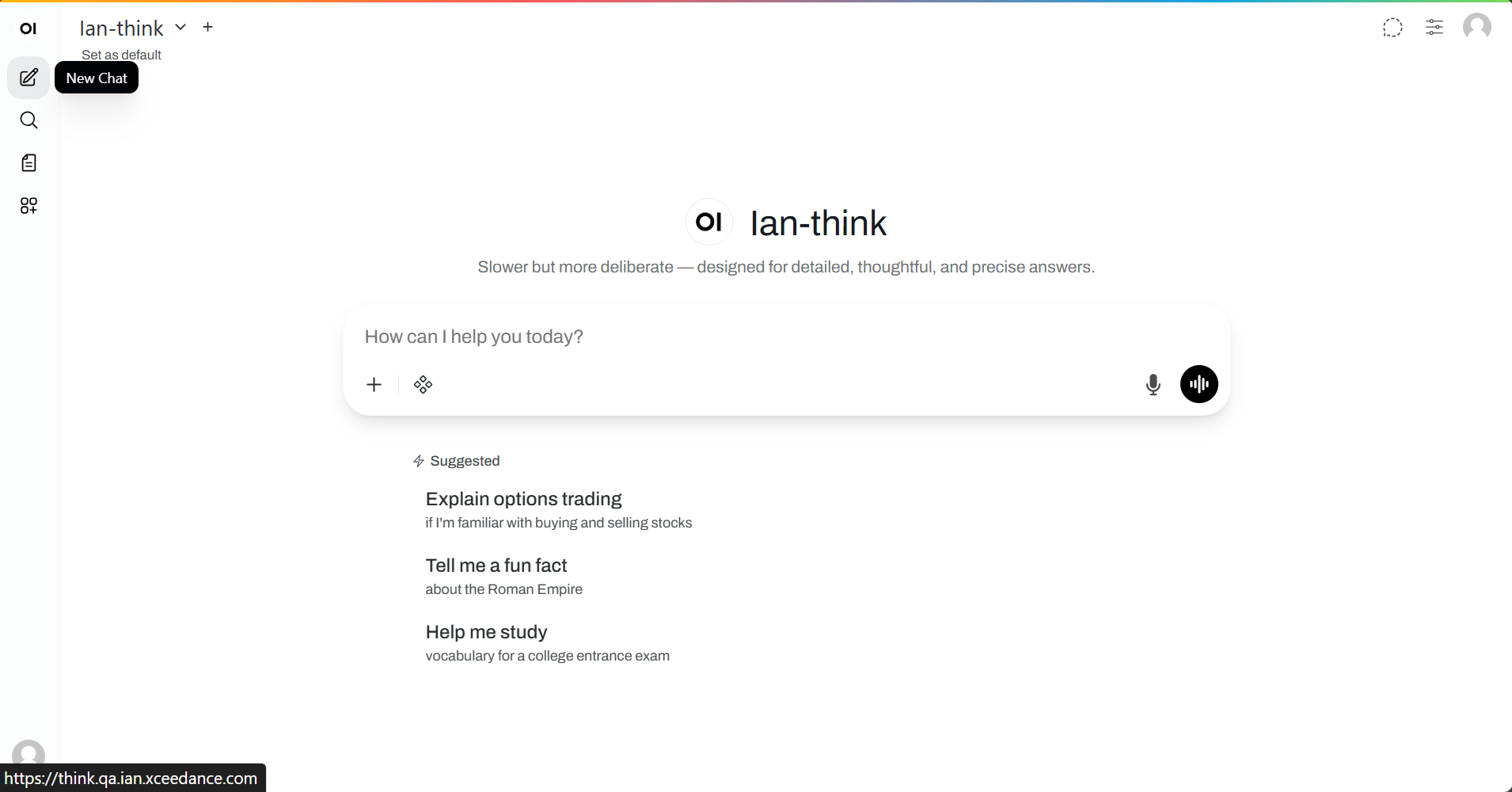
1. Create a new chat
Go to IAN dashboard. Click [+ New Chat] (big button, center of screen).
You'll see model "IAN Think".
2. Ask a question
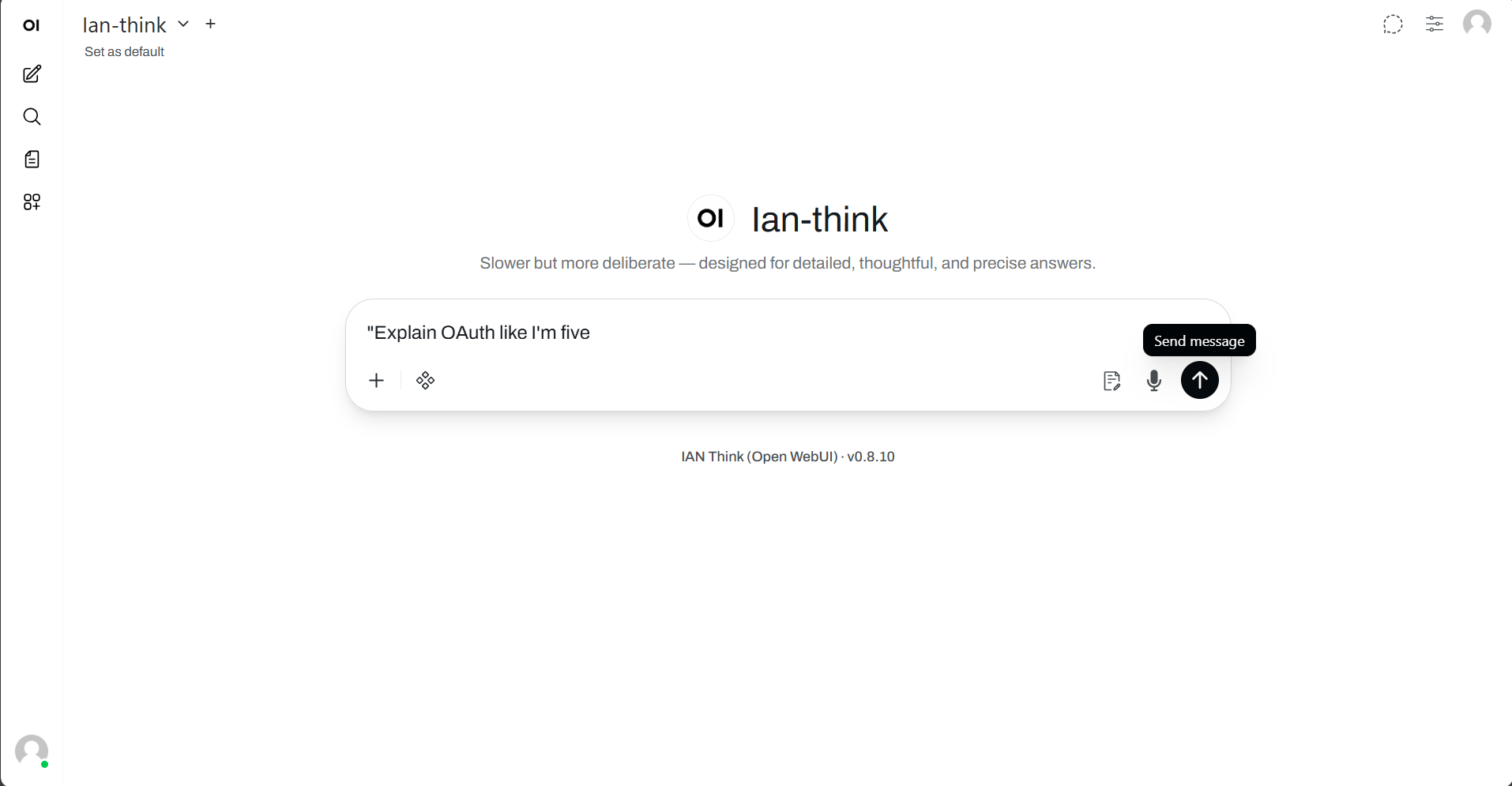
Click in the message box. Type:
- "What's the difference between term and whole life insurance?"
- "Explain OAuth like I'm five"
- "How would you approach this problem: [problem]"
- "I'm confused about [thing]. Help?"
Be specific. "What's a CAT model?" beats "Tell me about models."
3. Send it
Press Enter or click [Send ➜].
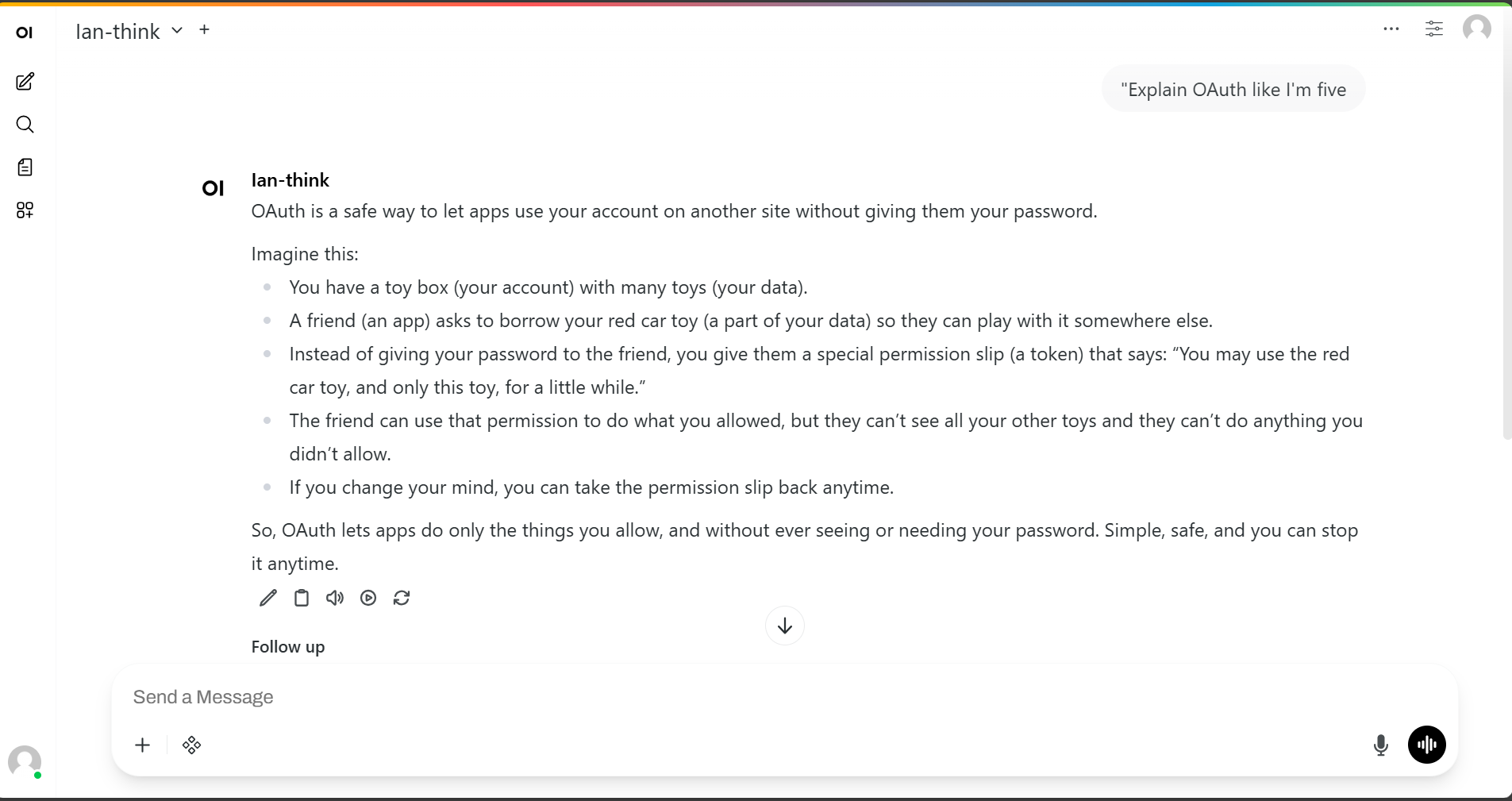
IAN thinks for 3–15 seconds (depends on the question). Then it responds.
4. Read the response
IAN just gave you an answer. It might be:
- Exactly what you needed
- Close but not quite
- Completely off-base
All three are normal. This isn't like Google where there's one right answer.
5. React
If it's good:
"Great. Tell me more about [that part]"
If it's not quite right:
"That's close, but I need it from [perspective]" or "That's not what I meant. I'm asking about [clarification]"
If it's completely wrong:
"That doesn't make sense. Let me rephrase: [new question]"
If you want to try again:
Click [Regenerate] to get a different response to the same question.
6. Keep going
Each message gets added to the conversation history. IAN sees the whole thread. So you can:
- Say "what about the thing I mentioned earlier?"
- Reference previous answers without repeating yourself
- Build on what you've discussed
7. When you're done
- Save it: Click ⭐ (top right). Goes to your Saved folder.
- Leave it: Close the tab. It stays in History for 90 days.
- Delete it: Click ⋮ (three dots) → Delete. Can't undo.
Tips for better answers
Tip 1: Be specific
❌ "Tell me about claims"
✅ "Walk me through how to file an auto insurance claim after a fender bender"
Tip 2: Give context
❌ "That's wrong"
✅ "That's not quite right for my use case. I need this from a claims adjuster's perspective, not a customer's. We're training new adjusters."
Tip 3: Ask for examples
"Give me an example of what you mean by [concept]"
Tip 4: Verify important facts
Before relying on IAN's answer for claims, compliance, legal, or financial questions—fact-check with official sources or a human expert.
Keyboard shortcuts
| Shortcut | What it does |
|---|---|
Enter |
Send message |
Shift+Enter |
New line without sending |
↑ (in message box) |
Cycle through messages you've sent |
Escape |
Close any popup |
Exporting your chat
Click ⋮ (three dots, top right) → Export
Pick a format:
- Markdown (.md) — Best for documents
- PDF (.pdf) — Best for sharing
- JSON (.json) — Best for analysis or importing elsewhere
Download happens automatically.
Sharing (coming soon)
You'll soon be able to generate shareable links. Your teammates can read (not edit) the conversation.
For now: Copy the text, paste in Slack or email.
Troubleshooting
"I'm waiting and nothing happens"
Wait 60 seconds. Some questions take time.
After 60 seconds:
- Try [Regenerate] to retry
- Ask a simpler question to check if the service is working
- Contact support
"I get an error about the model not being available"
That model is:
- Temporarily down for maintenance
- Not configured for your organization
- Hit a usage limit
"The answer seems wrong"
- Ask a follow-up for clarification
- Rephrase your question
- Copy the chat and send to Contact support
"My chat disappeared"
It didn't. Chats live in three places:
| Where | Duration |
|---|---|
| Current session | Now |
| Saved (⭐) | Forever |
Click History in sidebar. Search for keywords. Click to reopen.
"Rate limit exceeded"
You've sent a lot of messages fast. Wait 5 minutes.
If this happens often, ask your admin to adjust your limit.
What you can't do (yet)
❌ Upload files here (use Document Analysis)
❌ Use web search here (use Web Search)
❌ Create workflows (that's IAN Create, coming soon)
Privacy
Your chats:
- Are encrypted in transit
- Live on Xceedance servers (not shared with LLM providers)
- Can be seen by admins (audit/compliance)
- Aren't used to train LLMs
Privacy Policy · Data Security